
How it works
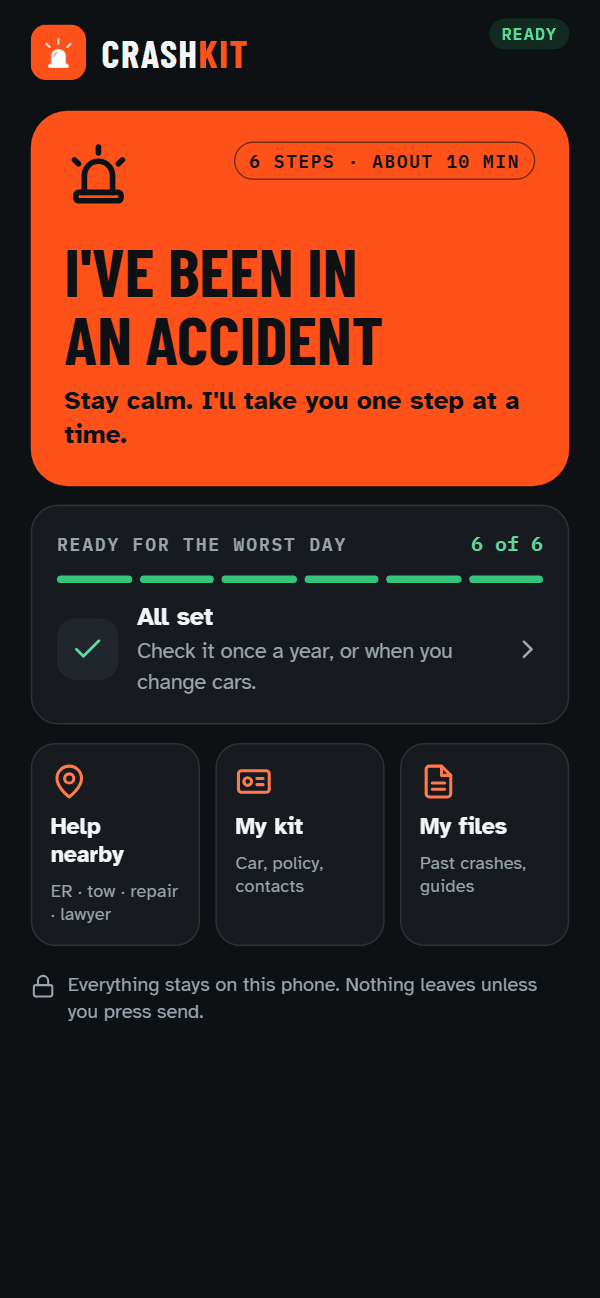
Six steps, in this order
The same order every time. It checks you're safe before it asks you to photograph anything.
-
Step 1 of 6 · Safe
Checks you're safe first
Is anyone hurt, call 911, get out of the traffic lane. One tap also calls whoever you nominated. Then what not to say — the things people say to be polite at the roadside that get quoted back at them later.
-
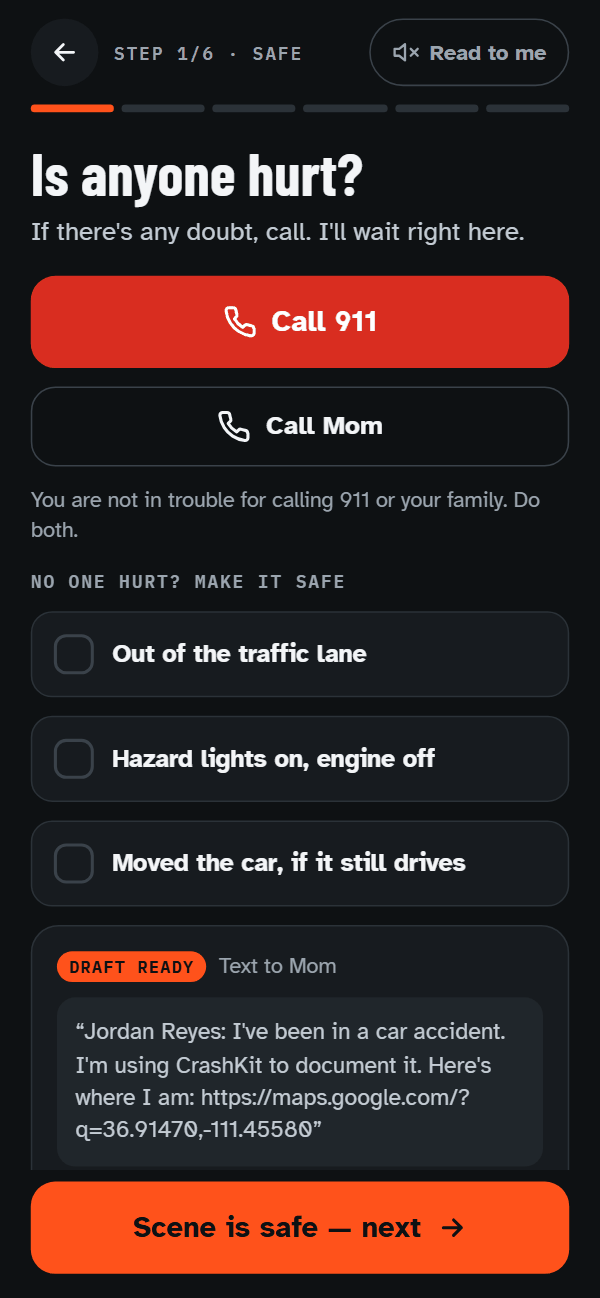
Step 2 of 6 · Photos
Walks you through the photographs
Shot by shot — the scene, both number plates, both vehicle ID numbers (the VIN on the dashboard), the damage. It checks you're clear of traffic first, and cuts the list short if you're not.
-
Step 3 of 6 · Other driver
Gets the other driver's details
The other driver and their insurer. Photograph their license, insurance card and registration instead of typing at the roadside.
-
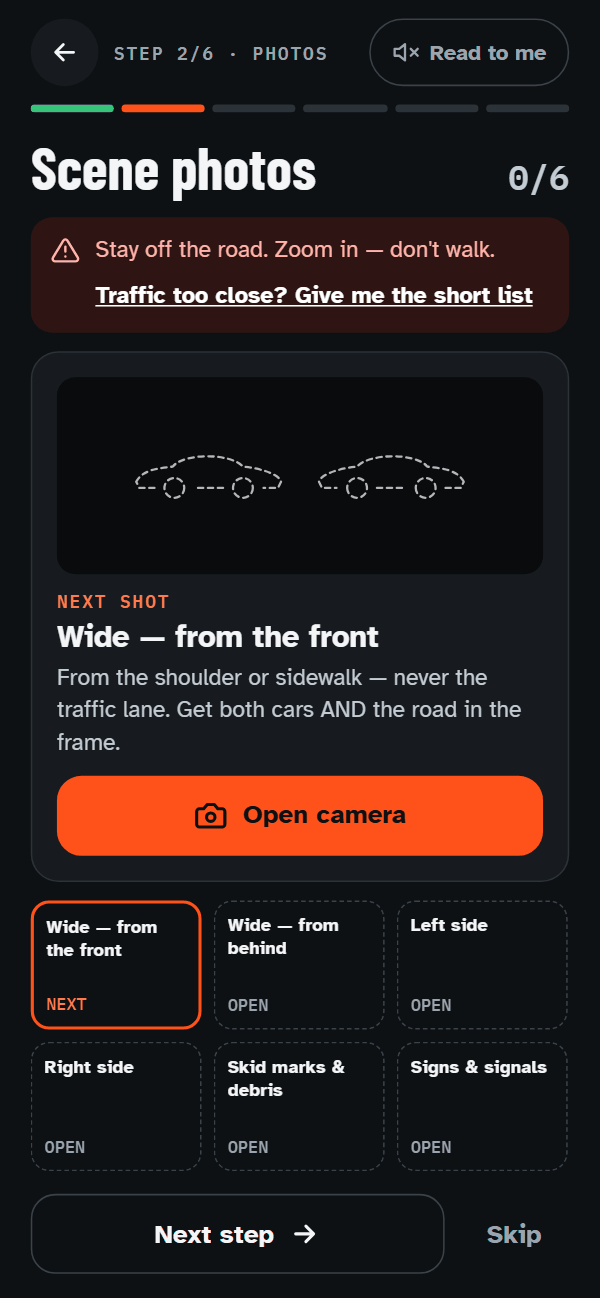
Step 4 of 6 · Police & witnesses
Police and witnesses
The police report number — or what to do when no officer comes, which happens more often than people expect. Then the names and numbers of anyone who saw it.
-
Step 5 of 6 · Details
Where, when, and how you feel
Where it happened, and when it really happened. Whether the car is being towed. How you're feeling, saved with the time.
-
Step 6 of 6 · Send
One report, sent when you say
Everything goes into one numbered report for your insurer, an attorney, or yourself. It leaves your phone only when you press send.
What you end up with
One report you can send
One numbered report you can email to your insurer, an attorney, or yourself.
- A summary with the fields an adjuster asks for
- Both drivers and both insurers, side by side
- Your photographs, numbered and labelled with what it shows and when it was taken
- A dated record of any injuries, including the check-ins at 24 hours and three days
Built with invented names and placeholder photographs, so you can see the shape of it. It is a record of what you observed — not legal advice, and it does not decide who was at fault.
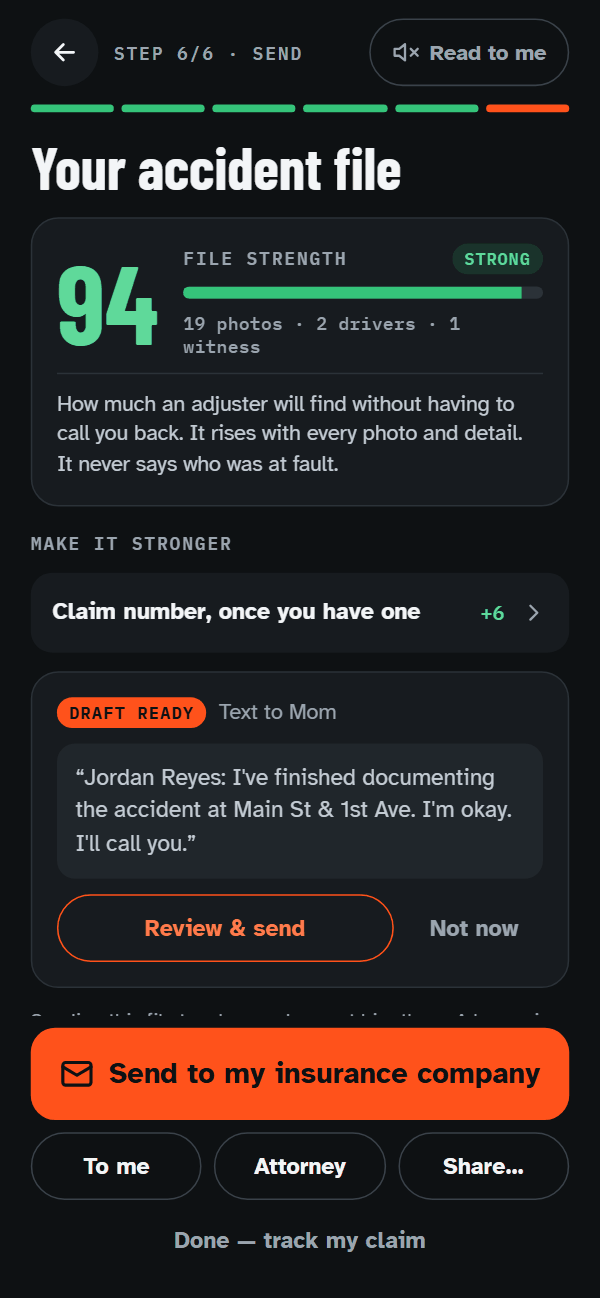
File strength
How complete your file is
As you go, one number from 0 to 100 shows how complete the file is, and what would make it stronger — the photos still open, a claim number once you have one. It measures what's in the file. It never says who was at fault.
After the crash
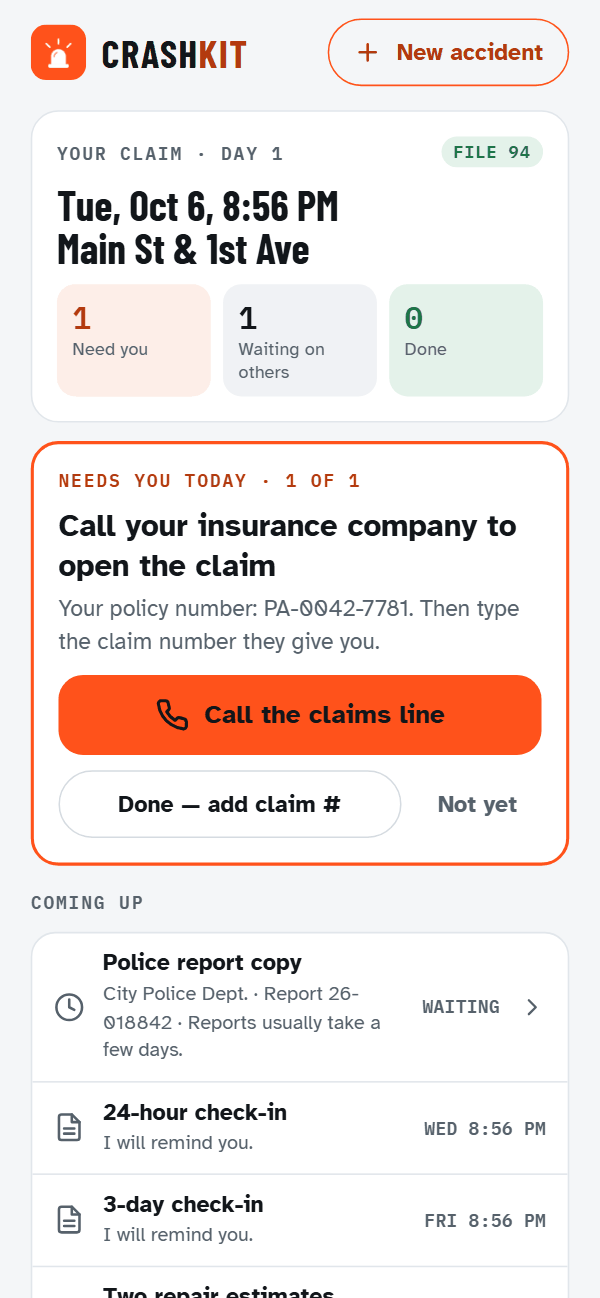
Then it keeps track of the claim
When you're done at the scene, the home screen turns into your claim: what needs you today, what you're waiting on, and what's coming up.
- Your claim number and your adjuster, in one place
- Check-ins at 24 hours and three days, so how you're feeling is written down with the date
- The police report copy you're waiting on
- Your claim lives on this phone. Nobody sees it unless you send it.
Reminders work in the installed app, not in the browser version.
On a calm day
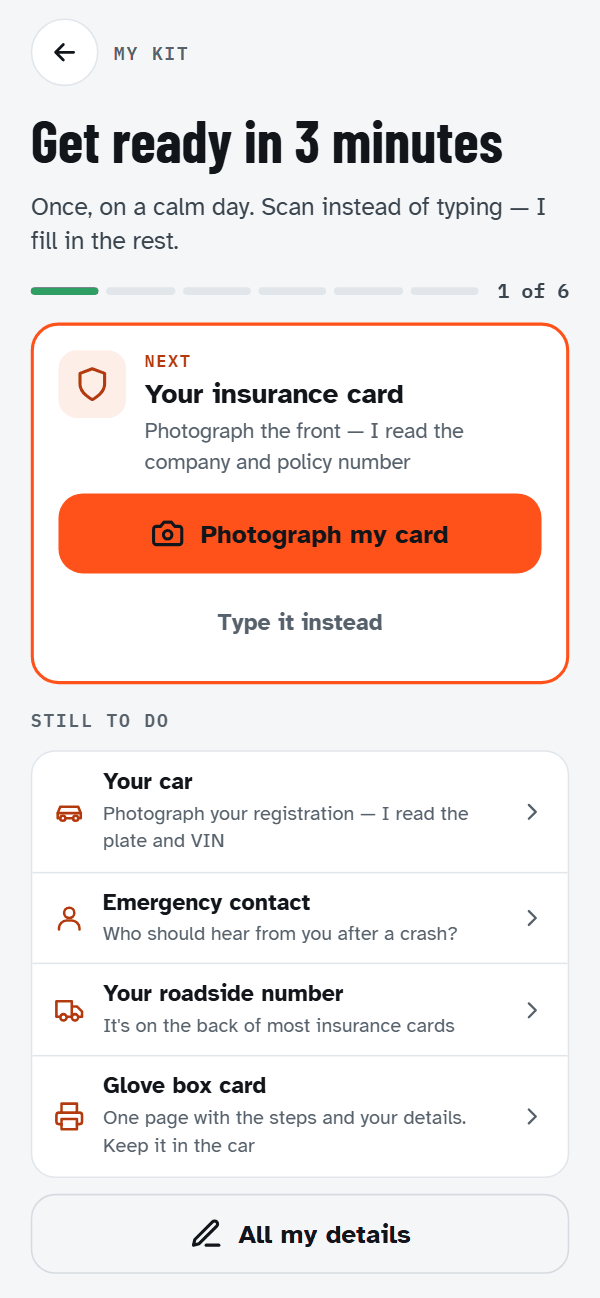
Set it up before you need it
Set it up on a calm day — your car, your policy number, an emergency contact. Then nobody is typing a policy number at the roadside.
Scan the barcode on the back of your license and photograph your insurance card, and it fills in the details. Both are read on the phone: nothing is uploaded, and the photo of your own card isn't kept.
Setting it up for someone else, like a new driver? Put yourself in as their emergency contact, and their safety screen shows a Call button with your name on it. The home screen says "Ready" once it's done, so you can check at a glance.
Card scanning works in the installed app, not in the browser version.
Privacy
Your information stays on your phone
- No account. No sign-up. No login.
- Your photos, notes and everyone's details stay on your device.
- We run no servers holding your data — there is nothing on our side for anyone to leak, sell or demand.
- Your report leaves your phone only when you send it. You press the button every time.
Two exceptions, so you hear them from us
- When you search for a nearby tow truck, hospital or body shop, your coordinates go to a public map service (OpenStreetMap) to fetch results — nothing about who you are or what happened goes with them.
- We count how many phones install and open the app: a number, not a name.
The honest limit: what's on your phone is still your own record. If you make a claim or go to court, a judge can order you to hand it over, the same as any photo you take yourself.
Read the privacy policyFree · No account
Get CrashKit
Where it stands today.
On an Android phone
By invitationNot on the Play Store yet — the listing is being prepared. Until then it installs by invitation: ask for the link and we'll send it.
Ask for the Android linkOn an iPhone
Not yetThere is no iPhone version — only the browser walkthrough. It's being worked on.
Ask to be told when it landsSee it work before you install it
The whole flow runs in a browser, on a demo site hosted for us by Expo. The camera, card scanning and reminders only work in the installed app.
Try it in your browserNo phone? Print the glove box card
One page with the steps and space for your own details, for the day the phone is dead or smashed. Keep it in the car.
Print the glove box card (PDF)Dealers, body shops and firms
Hand it to your customers at delivery or at intake — one QR code, costs you nothing.
See how it works for a store